Features — CRM

Contacts, companies, and deals, in the same place as your invoices.

The CRM is your memory of every business relationship: who the client is, what you quoted them, what they paid, and what you promised. Because it shares the same database as billing, the client on the invoice is the same record as the client in the pipeline — entered once, correct everywhere.

No double entry, no address that changed in one place out of three. When the phone rings, the whole story is already on screen.

30 days free, no credit card · contact@aeorost.org

How it works

CRM, step by step

Real screenshots from the Northwind Studio demo company.

  1. Step 1

    One record per client

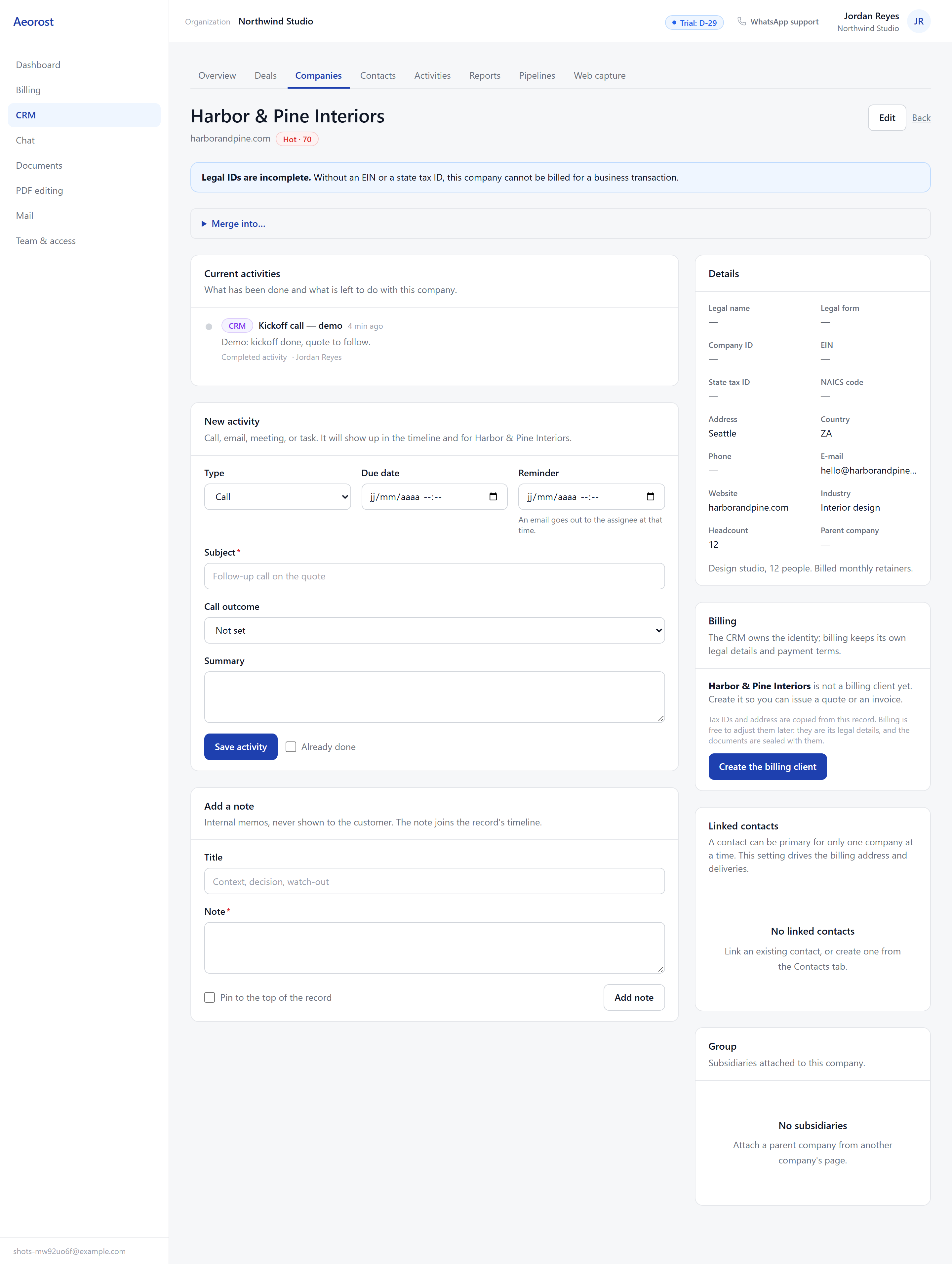
    Companies and contacts live in one place — here Harbor & Pine Interiors, with details, activities, and notes on one timeline. Change an address once and the next quote and invoice use it.

    Company record with details, activities, notes, and billing section
  2. Step 2

    Deals move along a visible pipeline

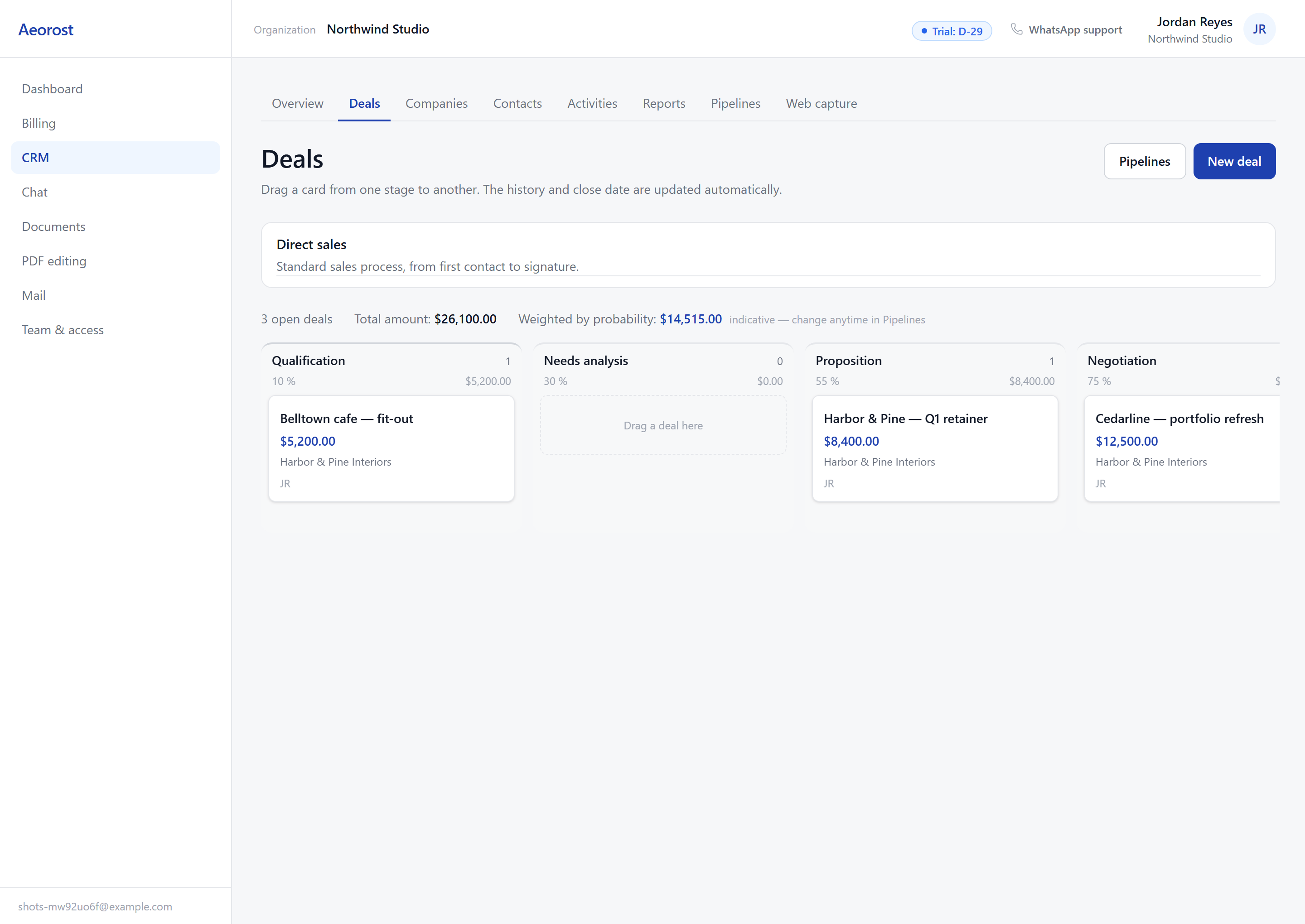
    Qualification, Needs analysis, Proposition, Negotiation, Won: every open deal sits in a column with its amount — here $26,100 across 3 open deals. Drag a card and the history updates itself.

    Deals pipeline with columns, amounts, and probability-weighted total
  3. Step 3

    Every exchange stays attached

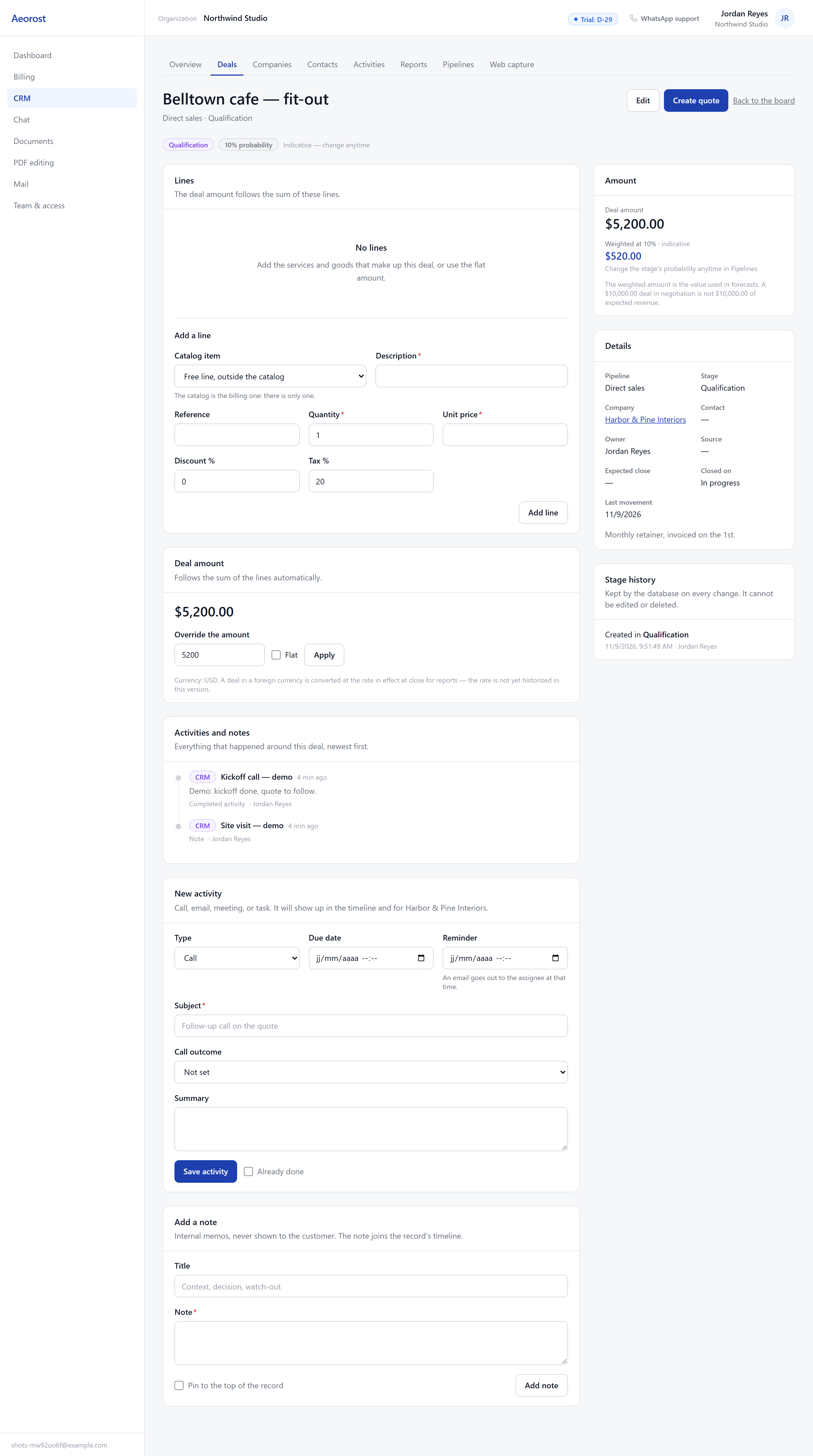
    Calls, emails, quotes, and invoices read as one timeline on the deal — here the Belltown cafe fit-out, with its kickoff call and its stage history kept by the database.

    Deal page with stage history, activities, notes, and amount
  4. Step 4

    Contacts live in named lists

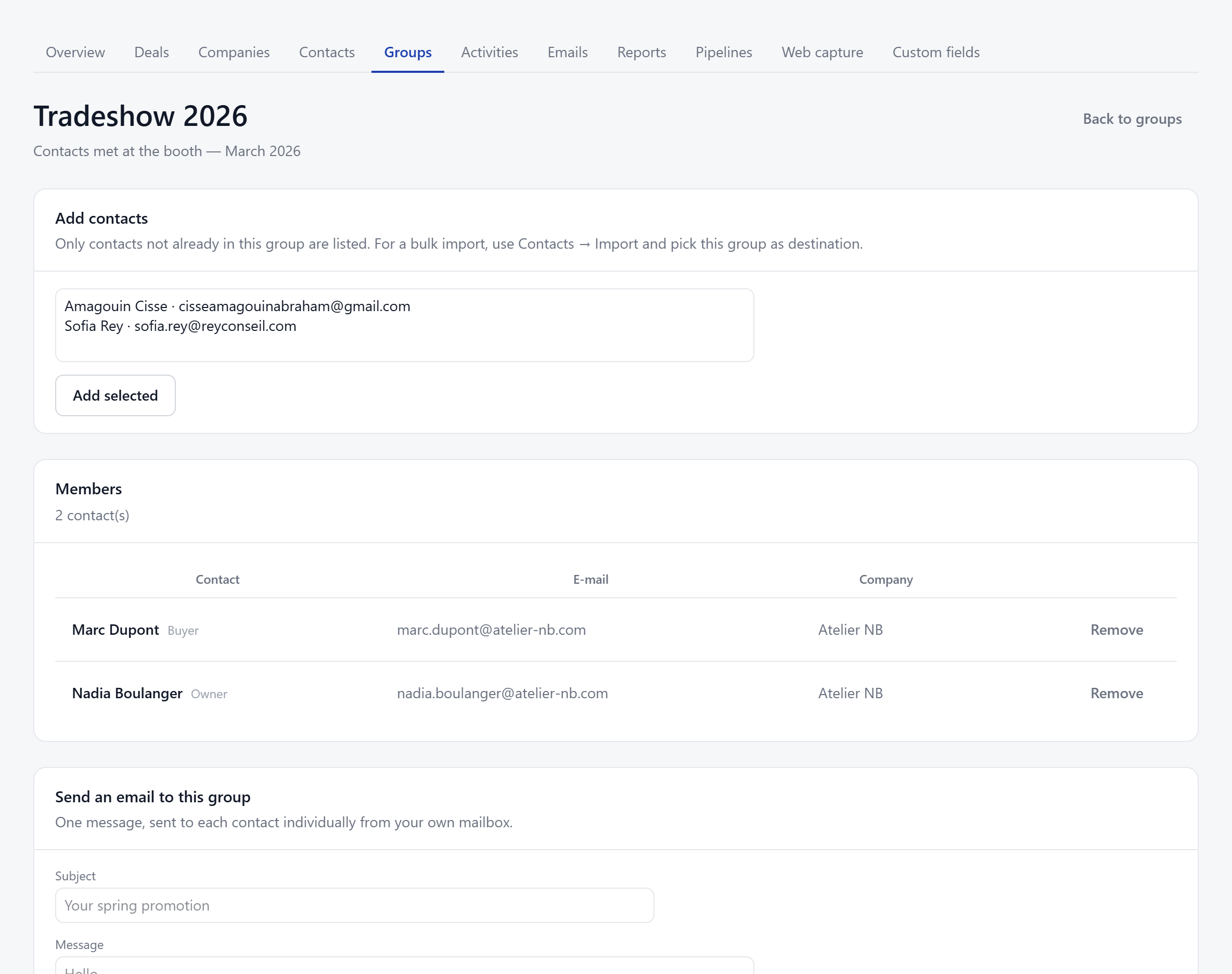
    A tradeshow, a campaign, a segment of clients: contacts are grouped into lists — here Tradeshow 2026 with its members and their companies. A message sent to the list leaves one by one, from your own mailbox, with an unsubscribe link on every copy.

    Contact group page showing members with their companies and the group email form

In real life

Two days with CRM

The people below are fictional. Their days are the ones small-business owners describe to us.

Fictional example — James, sales rep at a commercial cleaning company in Florida

Monday morning, three open deals

James opens the pipeline Monday morning: three open deals for $26,100 — a $5,200 cafe fit-out in Qualification, an $8,400 retainer waiting on a proposal, a $12,500 portfolio refresh in Negotiation.

The $5,200 one hasn't moved in two weeks. He calls those first — the board is his call list.

After the visit he logs the kickoff call on the deal. The next person who opens it sees the whole story, including the stage history nobody can edit.

One screen on Monday morning, two well-timed calls, no deal rotting quietly.

Fictional example — Priya, owner of a six-person painting company in Colorado

The retainer that became an invoice

A client asks about the $8,400 Q1 retainer sitting in Proposition at 55%. Priya opens the deal: every quote and invoice is already attached to the same record.

She creates the quote from the deal in one click — the Create quote button is right there, same client, no retyping.

When the client accepts, the invoice follows the same record. The $8,400 never lived in two places.

A deal that turned into money without a second entry anywhere.

Why it pays

What CRM earns you

Replaces the standalone CRM subscription and the contact spreadsheet — not your judgment, which finally has the full picture.

  • No lead dies quietly: stuck deals sit visible in a column instead of in someone's head.
  • No double entry: the client entered once feeds quotes, invoices, and the portal.
  • Better calls: the full timeline — activities, notes, and stage changes — is on screen before you pick up.
  • Contacts are grouped into named lists, and a group email leaves one by one, with an unsubscribe link on every message.
  • Your own fields — job type, territory, referral source — exist on contacts and companies, not only in a spreadsheet.
  • Messages from your mailbox are captured and attached to the right contact; the address is matched, not guessed.

Try it today. Pay later — $27.

30 days free, no card required. Then $27 per user per month. If you'd rather talk first, write to us: the same person answers.

No card · Cancel anytime · 4 tools, one database