Features — Billing

Quotes, invoices, reminders, and payments, without a spreadsheet.

Billing is the chain that turns your work into money: a quote goes out, the client accepts, the invoice follows, the reminder goes out if needed, and the payment lands. In Aeorost, the whole chain lives on one case number — nothing is retyped from one step to the next.

A line corrected on the quote corrects the invoice. A partial payment shows up immediately in the amount still due. And once a document is finalized, it is sealed: the numbering stays continuous and nobody edits it afterwards.

30 days free, no credit card · contact@aeorost.org

How it works

Billing, step by step

Real screenshots from the Northwind Studio demo company.

  1. Step 1

    Create the quote

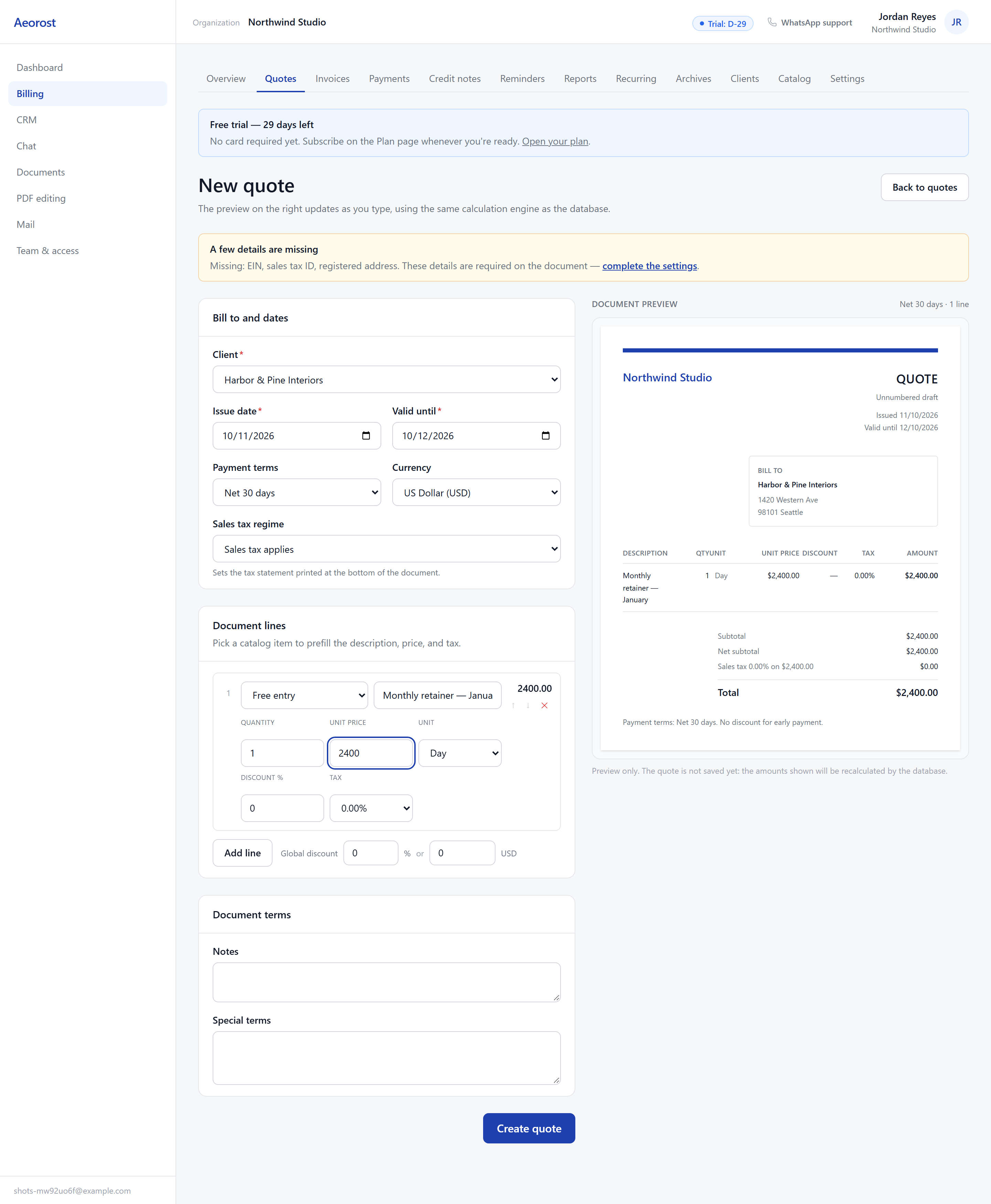
    Pick the client — already in the CRM — add your lines, dates, and tax. You set the tax rate yourself — a preset or your own custom rate — so it's up to you to get it right. The preview computes as you type.

    New quote form prefilled for a client, with lines, tax rate, and live document preview
  2. Step 2

    The client accepts online

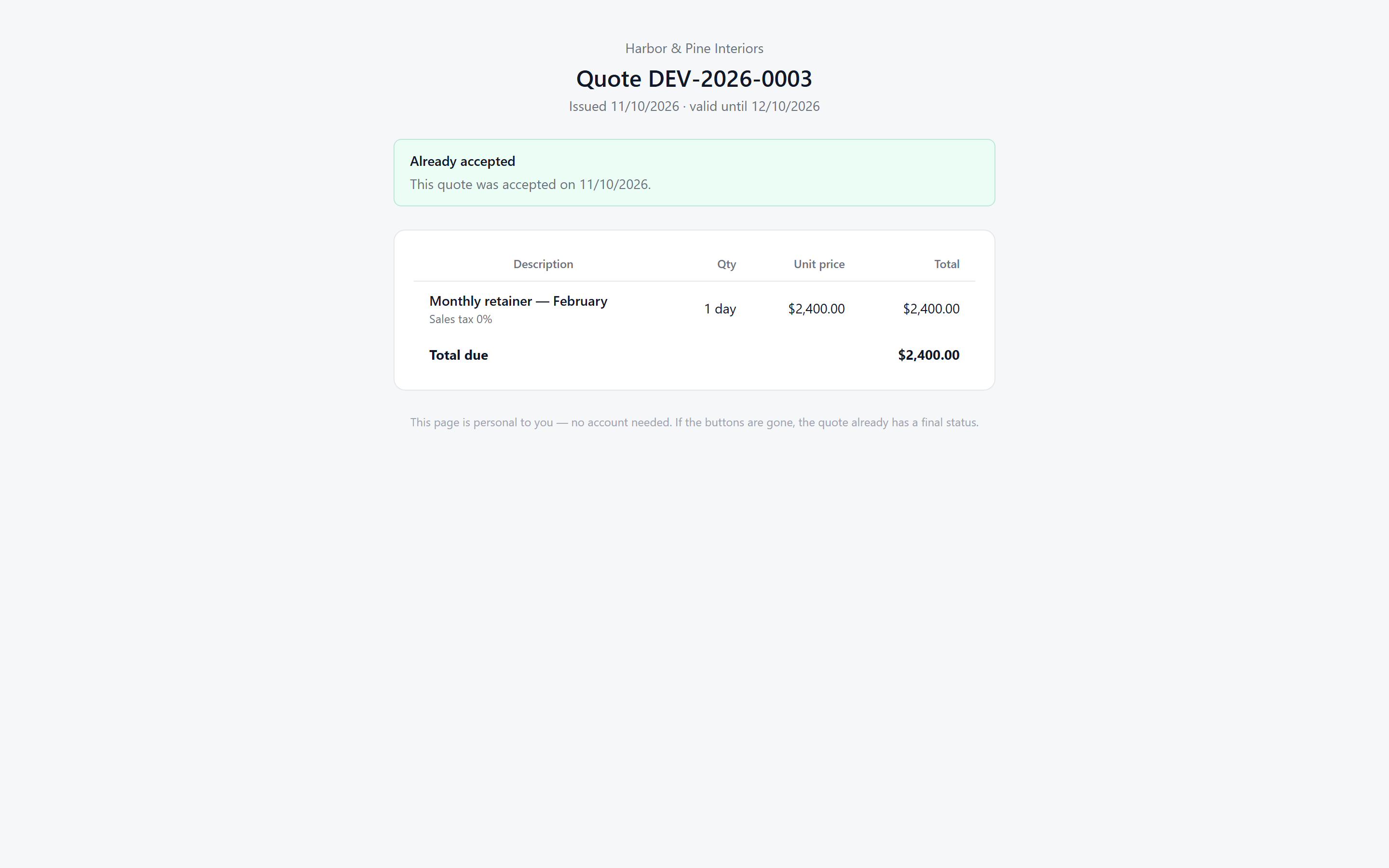
    The quote goes out by email with an accept link. The client opens a personal page — no account needed — and clicks Accept this quote. You see Already accepted with the date.

    Client portal showing an accepted quote with the acceptance date
  3. Step 3

    One click becomes an invoice

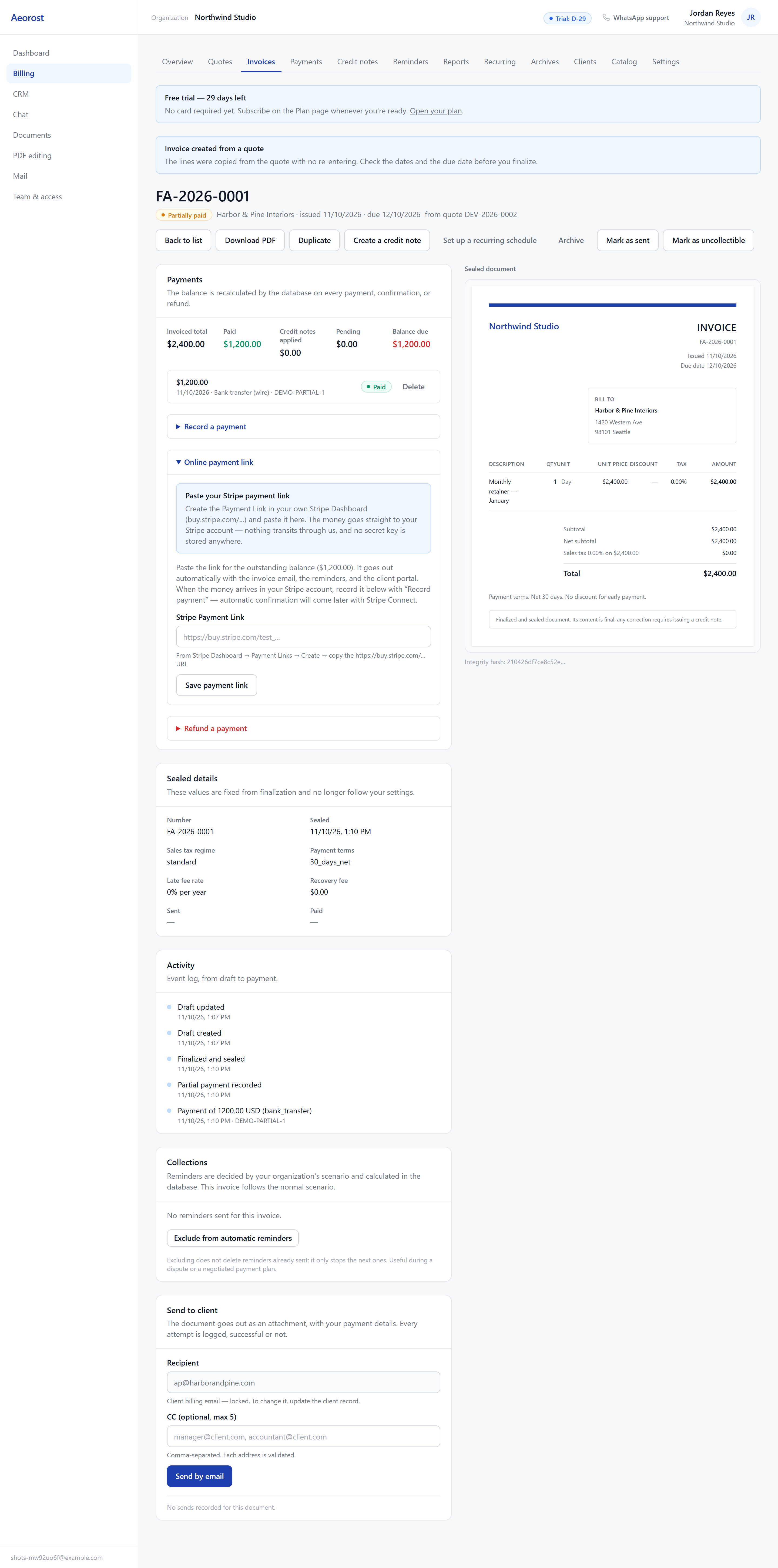
    An accepted quote converts with the same lines and the same client — here FA-2026-0001 from DEV-2026-0002 for $2,400. Finalize it and the document is sealed: the numbering stays continuous.

    Invoice created from a quote, sealed, with payments panel and activity log
  4. Step 4

    Reminders follow up on their own

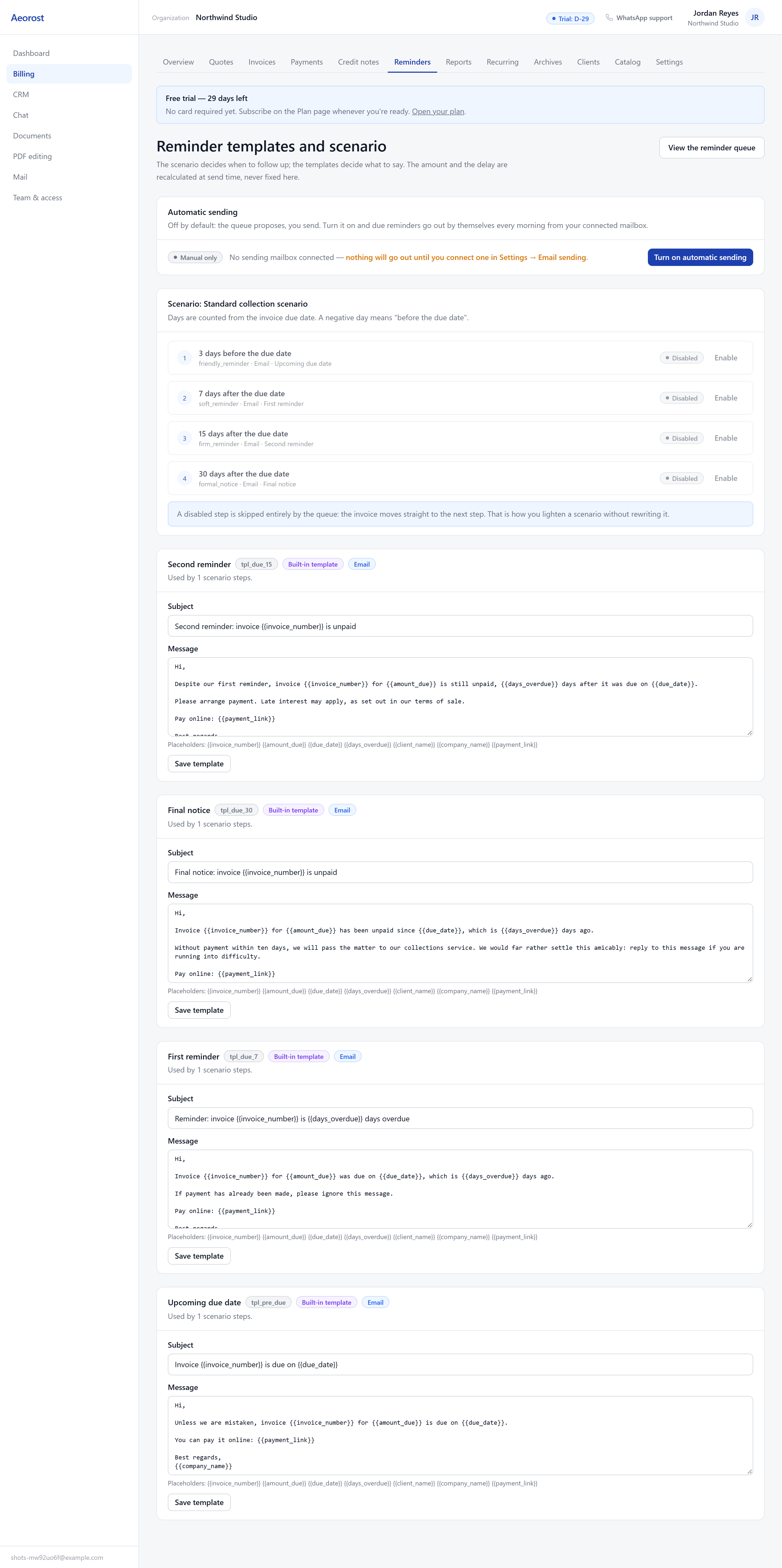
    A standard scenario sends reminders 3 days before the due date, then 7, 15, and 30 days after. Each template can include your payment link. A paid invoice never appears in the queue.

    Reminder scenario with four steps and email templates including a payment link
  5. Step 5

    Partial payments tracked to the dollar

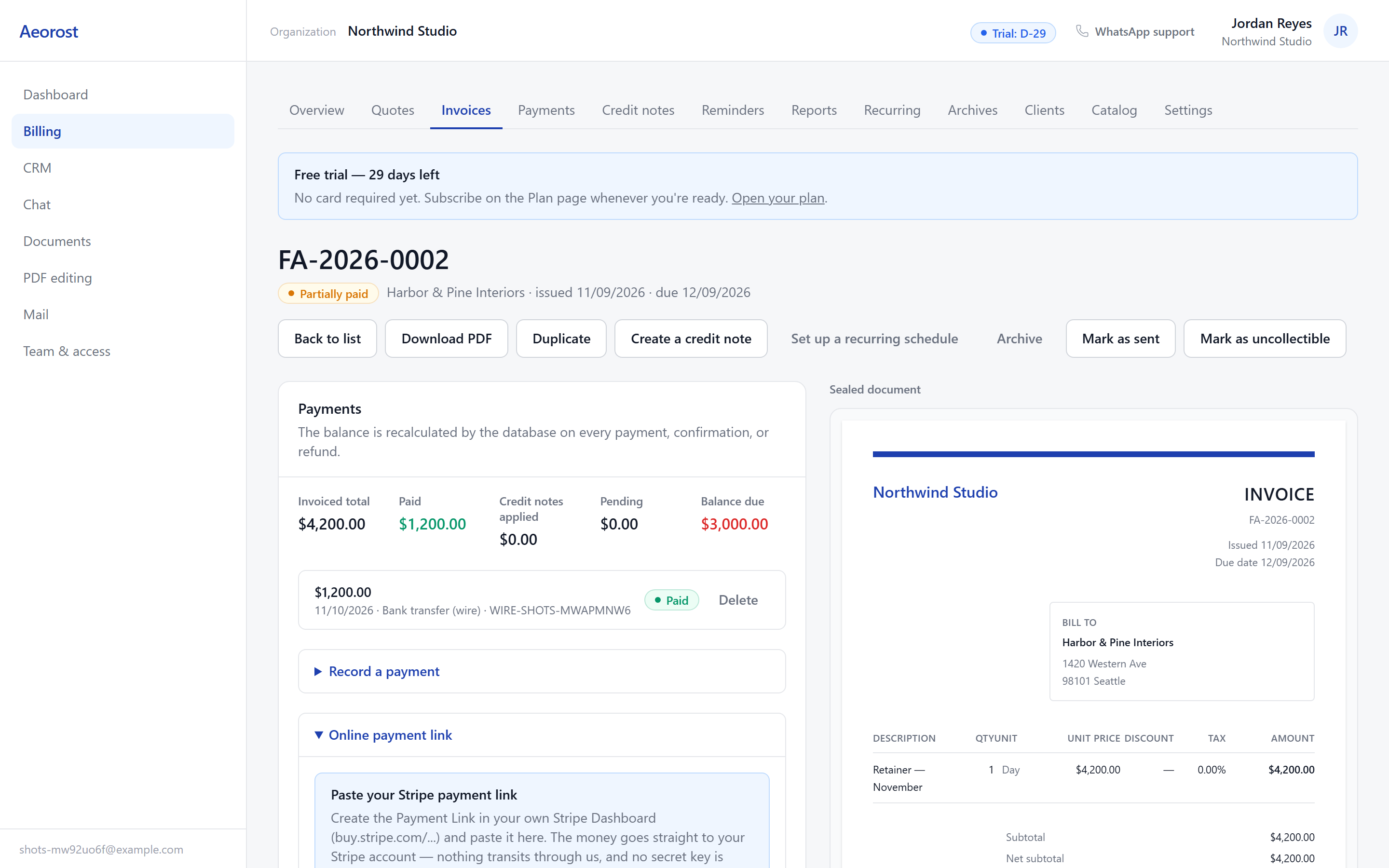
    Record a payment below the total and the status turns Partially paid — here $1,200 paid of $4,200 on FA-2026-0002, $3,000 still due. You paste your own Stripe payment link on the invoice; the money goes straight to your Stripe account.

    Partially paid invoice showing amount paid, balance due, and Stripe payment link section
  6. Step 6

    The client signs, not just clicks

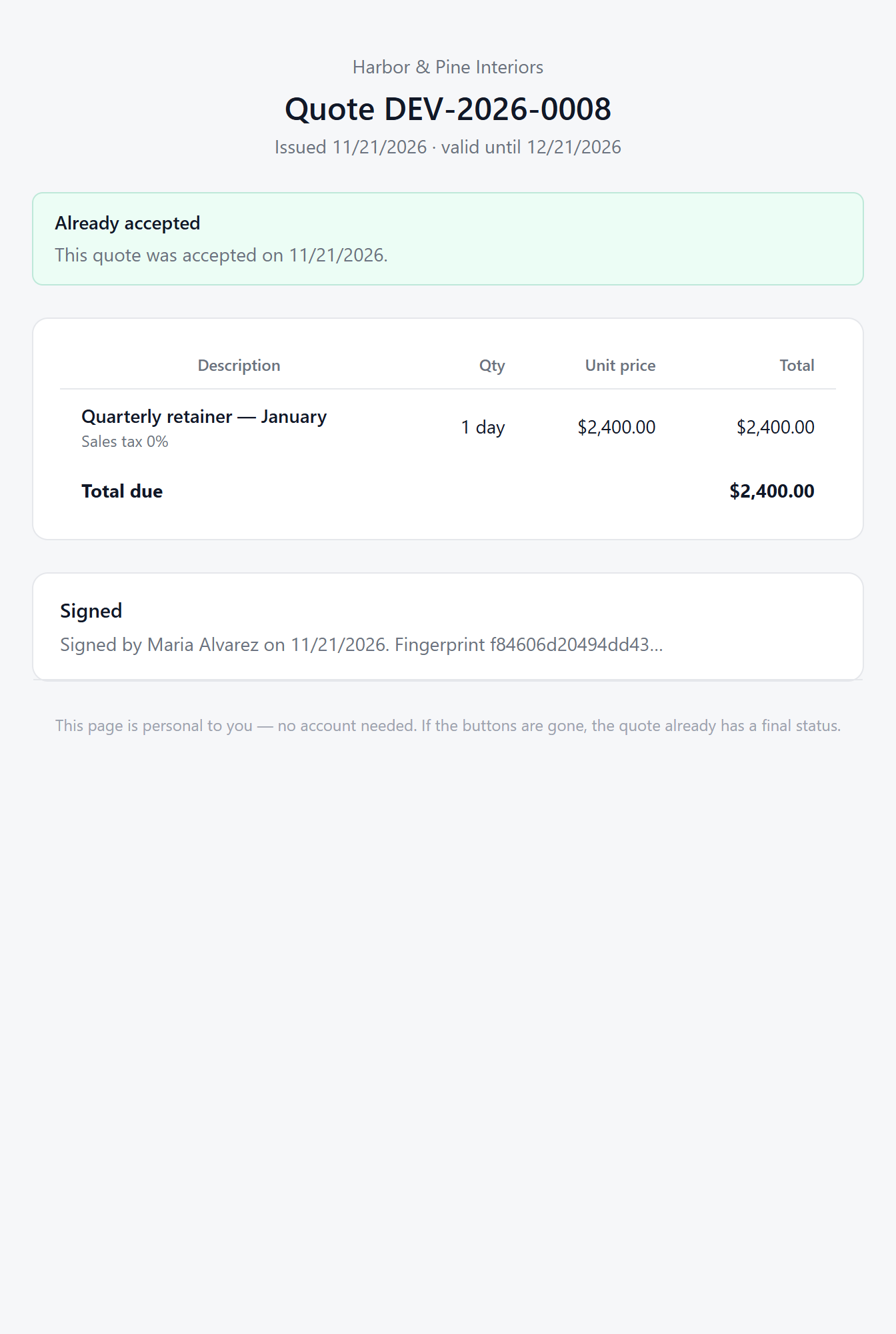
    Accepting a quote asks for a drawn signature and a name. The document keeps who signed, when, and a SHA-256 fingerprint of the proof — here $2,400 accepted and signed by Maria Alvarez on the client's own page, no account needed.

    Accepted quote page showing the signed block with the signer name, date, and fingerprint
  7. Step 7

    The bank statement meets its invoices

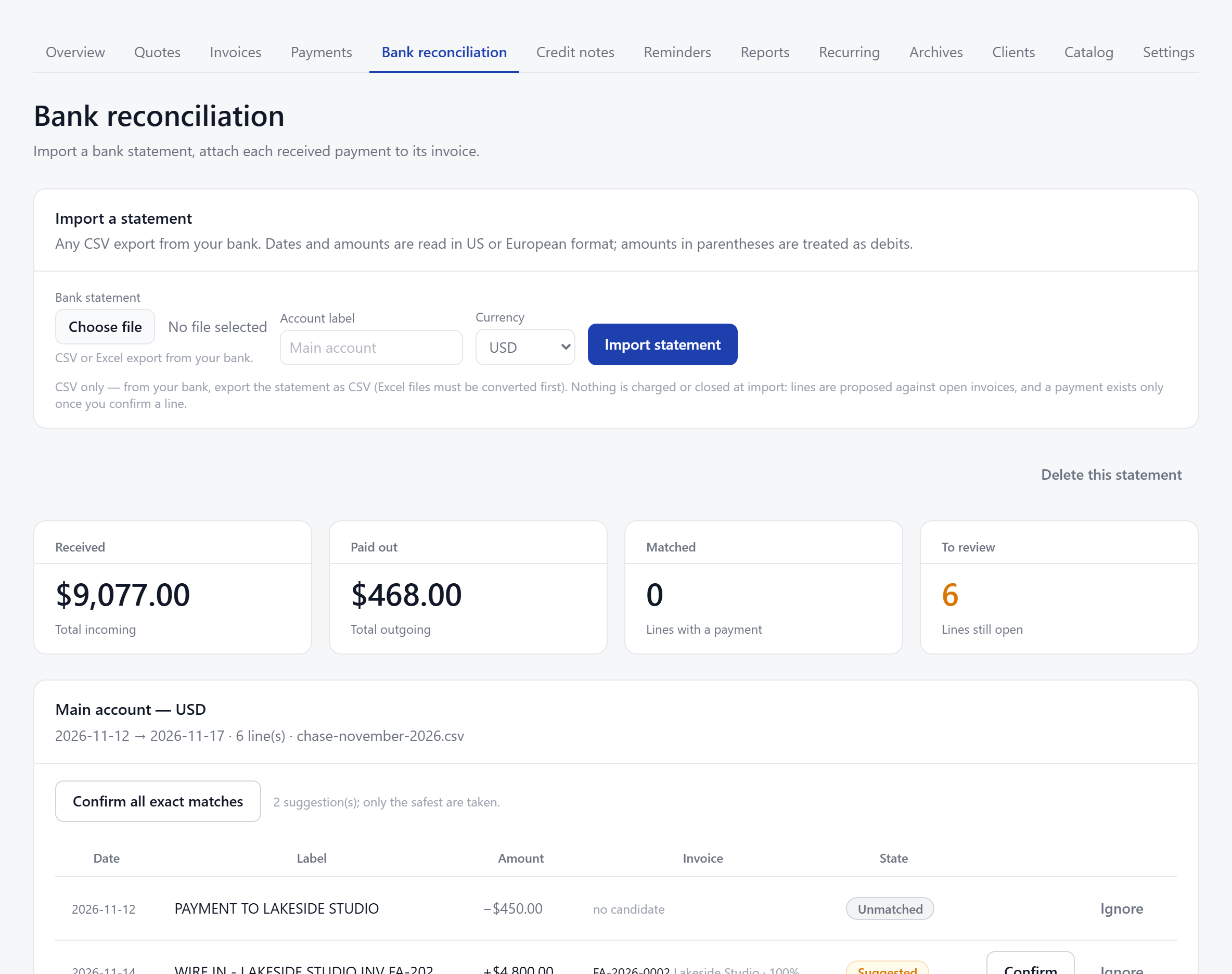
    Import the CSV your bank exports: each line is scored against open invoices — here a $4,800 wire matches FA-2026-0002 at 100%. Nothing is recorded until you confirm a line, and Undo puts a wrong confirmation back. A paid invoice can no longer be matched twice.

    Bank reconciliation screen with one imported statement, a suggested invoice match, and confirm buttons

In real life

Two days with Billing

The people below are fictional. Their days are the ones small-business owners describe to us.

Fictional example — Maria, office manager at a 12-person plumbing company in Ohio

The $2,400 invoice that paid itself in two moves

Harbor & Pine Interiors owes $2,400 for a January retainer. Before, Maria kept the list in her head and called to apologize for asking for her own company's money.

The quote went out by email with an accept link. The client accepted online, and Maria turned it into the invoice in one click — same lines, same client.

The client paid $1,200 through the payment link on the invoice. The case shows Partially paid: $1,200 received, $1,200 still due — and the reminder for the rest is already scheduled.

Half collected without a phone call, the other half following itself up.

Fictional example — Tom, owner of a painting company in Texas

A February retainer, accepted before lunch

Tom sends a $2,400 quote for a February retainer by email, with an accept link. The client opens the personal page — no account — and accepts.

Back at the office, Tom converts the accepted quote into the invoice in one click: same lines, same client.

He pastes his Stripe payment link on the invoice. The client pays from the email; Tom records it and the balance hits zero.

One entry at the start, one correct invoice at the end, zero evenings of paperwork.

Why it pays

What Billing earns you

Replaces the invoicing tool and the reminder spreadsheet — not your accountant, who receives cleaner records.

  • Reminders leave on their own and stop the day the invoice is paid.
  • Partial payments update the balance due the moment they are recorded.
  • The client, the lines, and the totals are entered once on the quote and reused on the invoice.
  • The client pays from the email or the portal through your own Stripe payment link.
  • An accepted quote arrives signed: the drawn signature, the timestamp, and the IP are kept with the document.
  • A bank statement imported as CSV proposes a match for each line, and a payment is created only when you confirm it.

Try it today. Pay later — $27.

30 days free, no card required. Then $27 per user per month. If you'd rather talk first, write to us: the same person answers.

No card · Cancel anytime · 4 tools, one database